Inquire by email
Closed on Sundays and the second Monday of the month
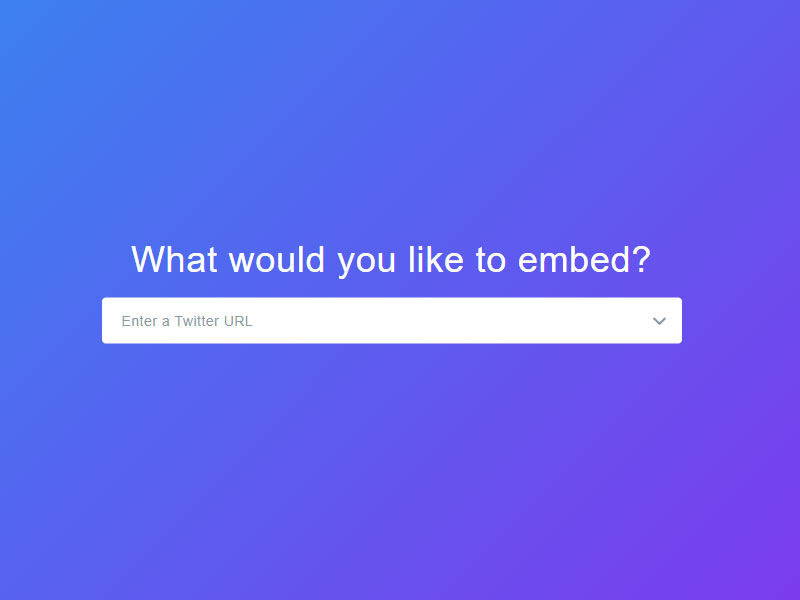
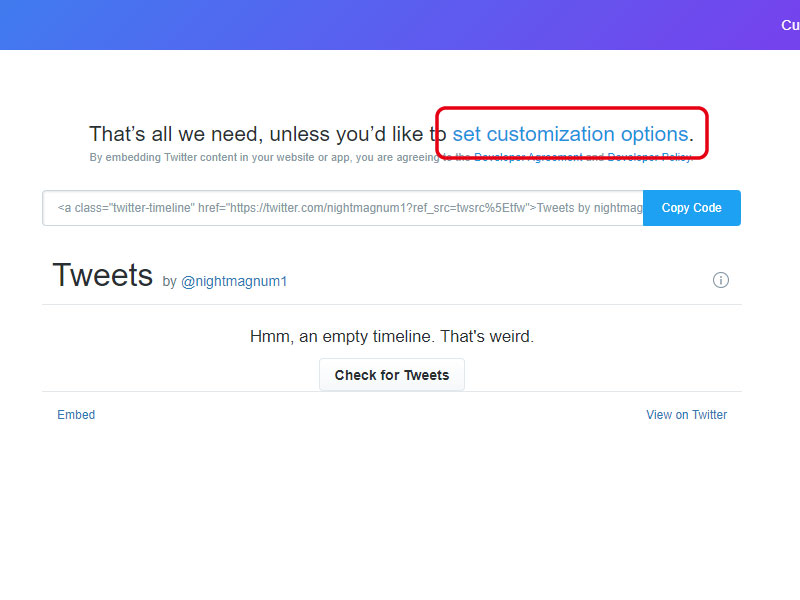
The URL of the Twitter profile whose timeline you want to display in "Enter a Twitter URL" (https://twitter.com/~username~)Please enter.
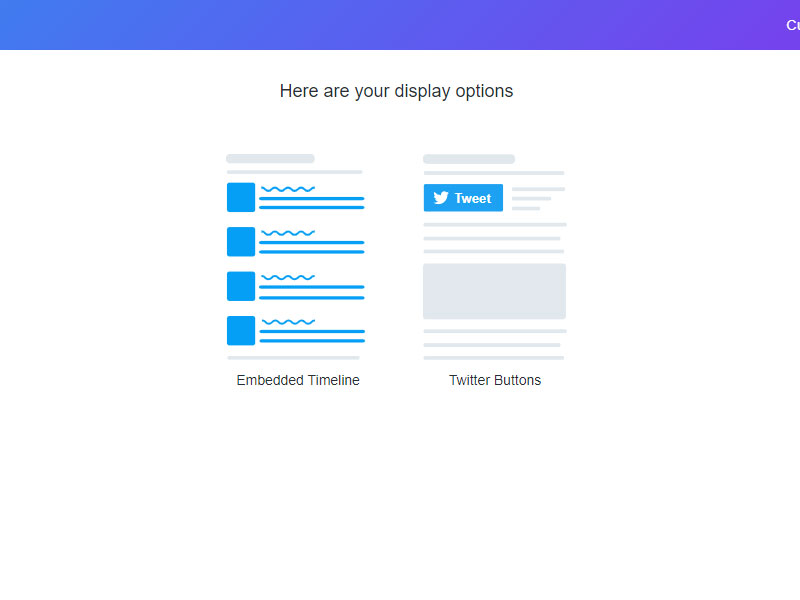
Click set customization options.
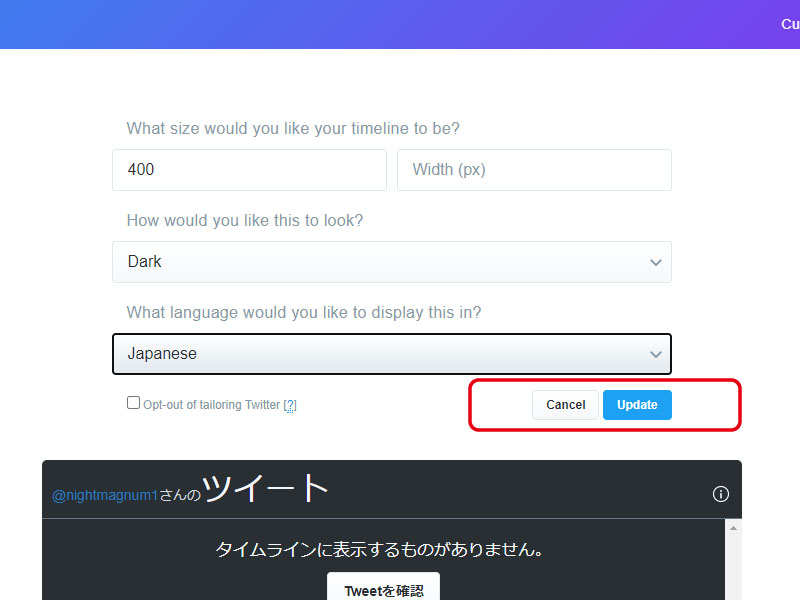
Set "Height (px)" (set to 400 in the image, change the height to match the site. Width You do not need to enter the width)
Set the "look" and select "light" or "dark".
Set "language".
Press the "update" button to update.
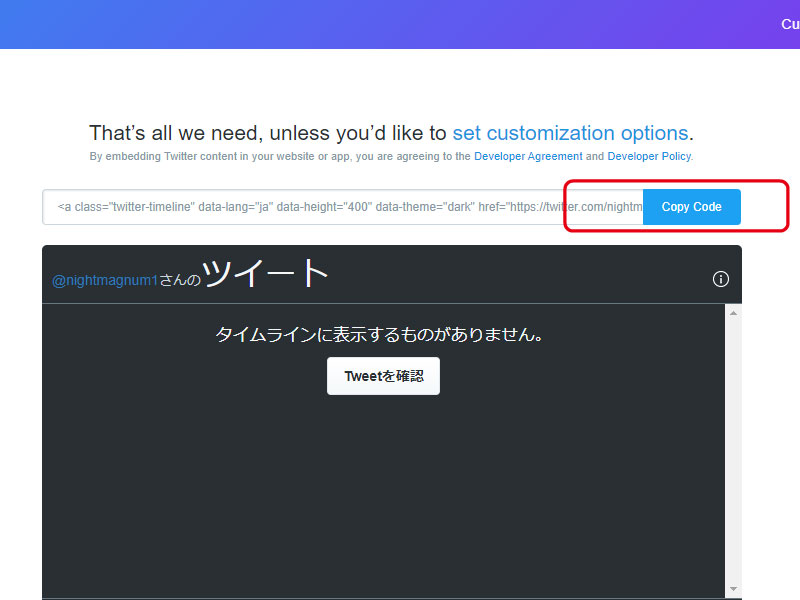
Click the "Copy Code" button to copy the embed code.
※Places where you can paste are "Link management" and "Each cast's comments" These are the areas where pasting HTML tags is permitted, such as "New Information" and "Content Management (Free Text)."
To paste into the editor, switch to "Source" view from the menu and paste the HTML.
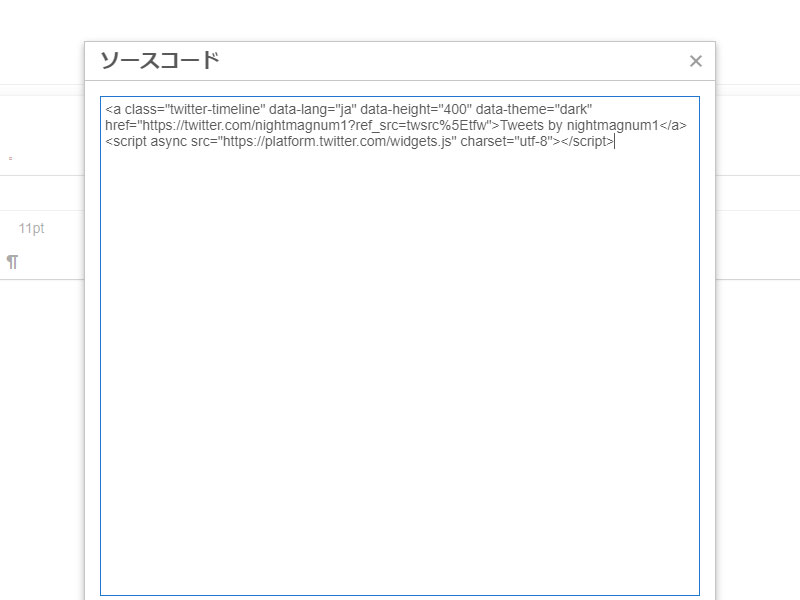
If the source is displayed as is, switch to "Source" view from the editor menu and paste the HTML.
There are no recent announcements.
\n