Inquire by email
Closed on Sundays and the second Monday of the month
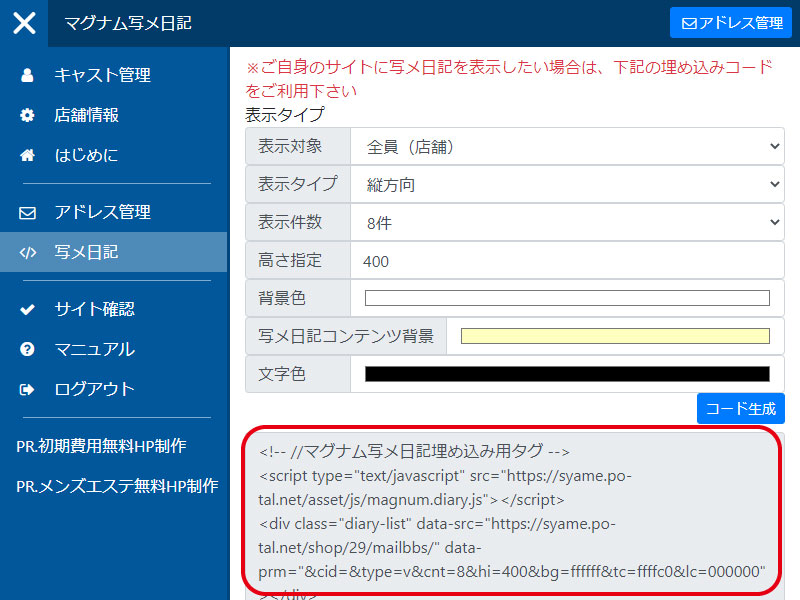
To paste into the editor, switch to "Source" view from the menu and paste the HTML.
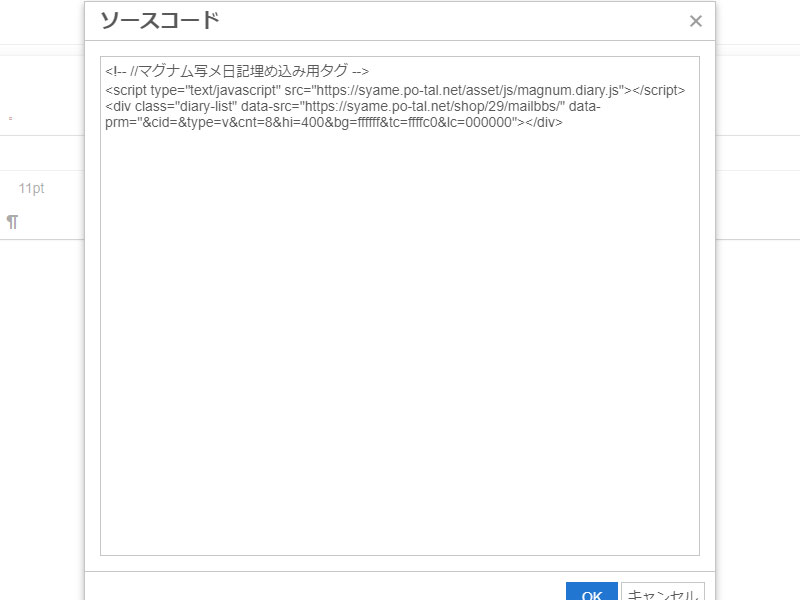
Log in to the Magnum Photo Diary management screen and select "Photo Diary" from the menu.
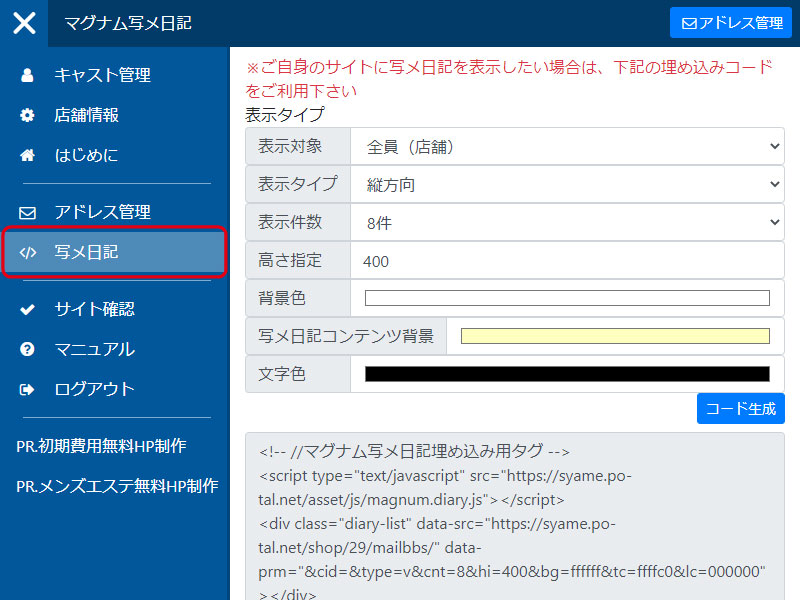
You can select all cast members or target cast members to display.
"Display Type" You can select the direction in which diaries are displayed (vertically or horizontally).
"Number of Displayed Items" You can set the number of diary items to display.
"Height" You can set the height of the widget.
"Background Color" You can set the background color of the widget.
"Photo diary content background" You can set the background color of each photo diary.
"Text color" You can set the font color.
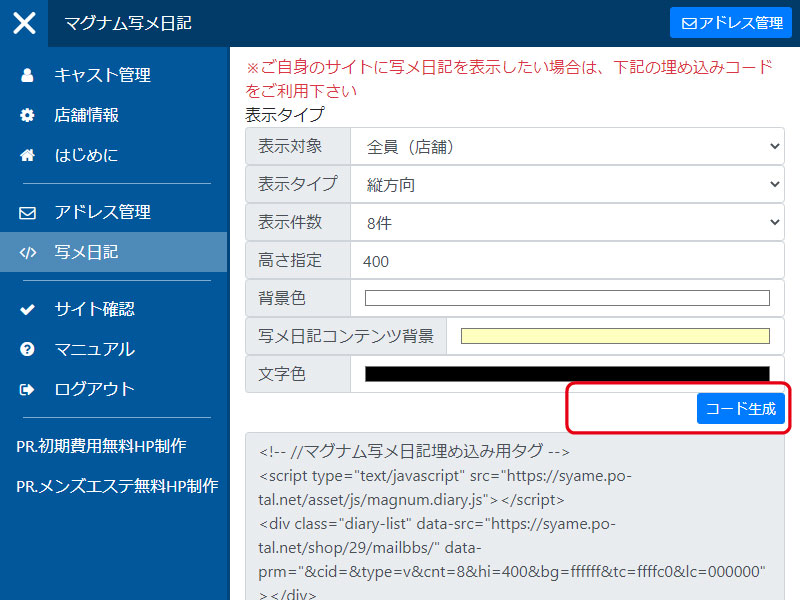
Press the "Generate Code" button to generate the embed code.
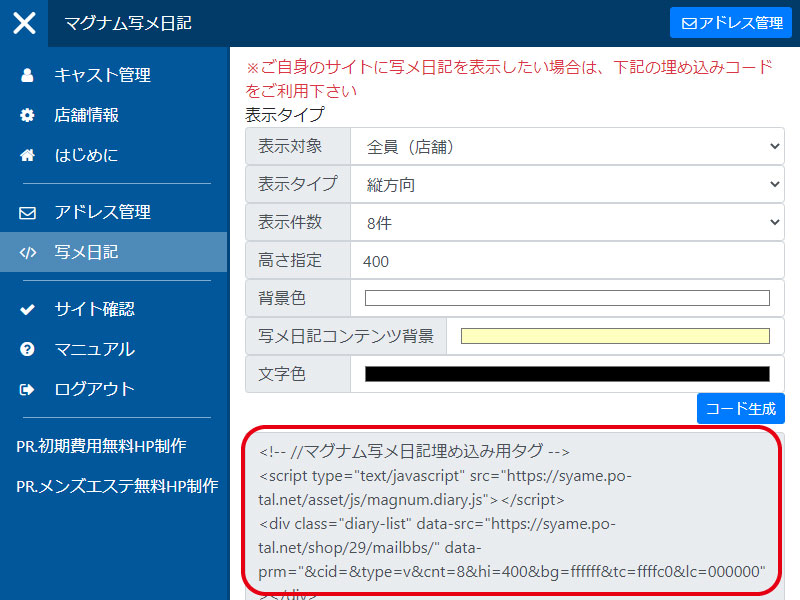
To paste into the editor, switch to "Source" view from the menu and paste the HTML.
※Places where you can paste are "Link management" and "Each cast's comments" These are the areas where pasting HTML tags is permitted, such as "New Information" and "Content Management (Free Text)."
If the source is displayed as is, switch to "Source" view from the editor menu and paste the HTML.
※If you don't know where to paste it (such as on the top page), Please specify the embedding code and the location where you would like it to be pasted and send us an email to request that we paste it.
There are no recent announcements.
\n